
Use cases / 05 Images & video
Improve a launch campaign
Keep a saved frame and region attached to the feedback, even as the asset changes.
Visual feedback is easier to act on when it points to the pixels that need work. Review a Fieldwork launch image and video, then check whether the revised artwork makes the date easier to read.
Image feedback
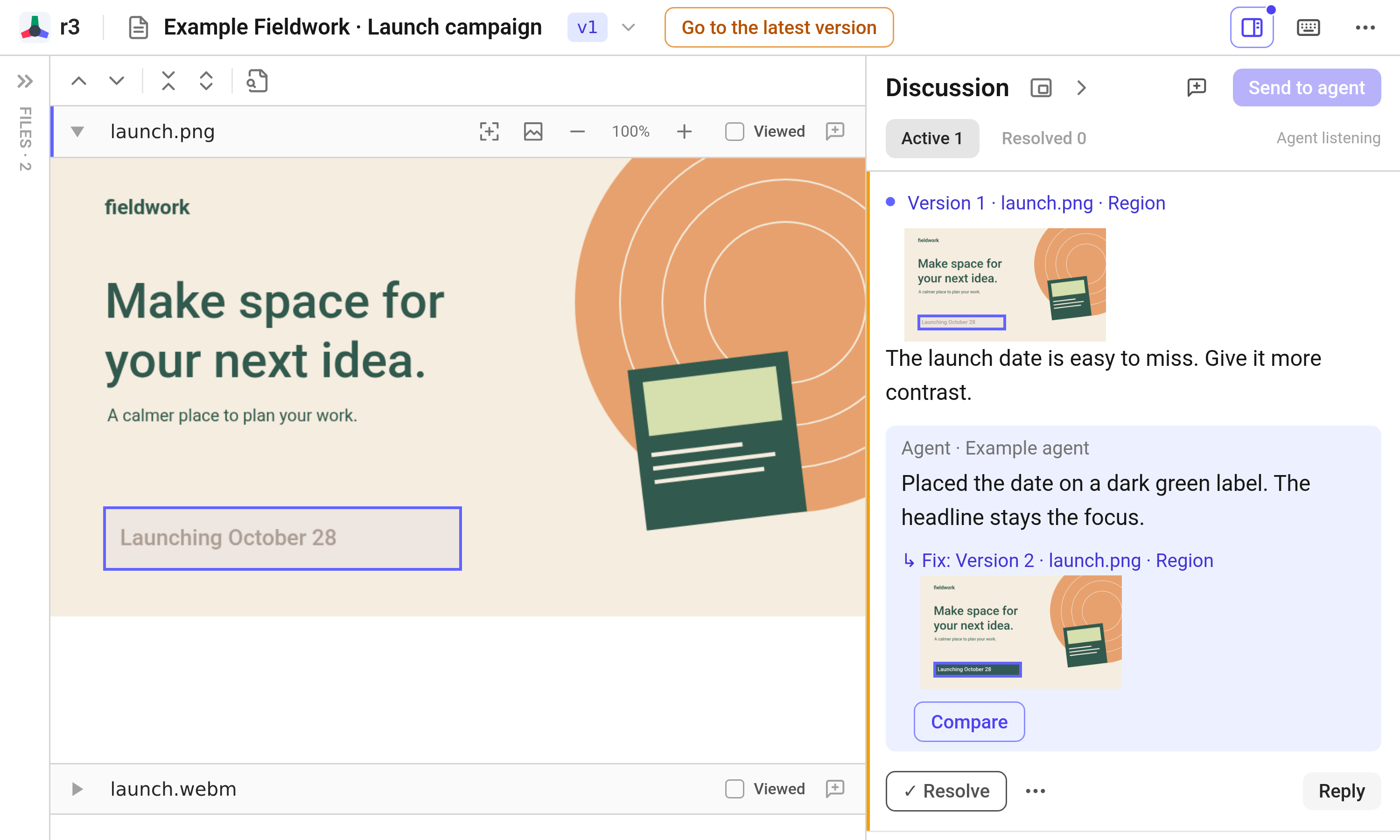
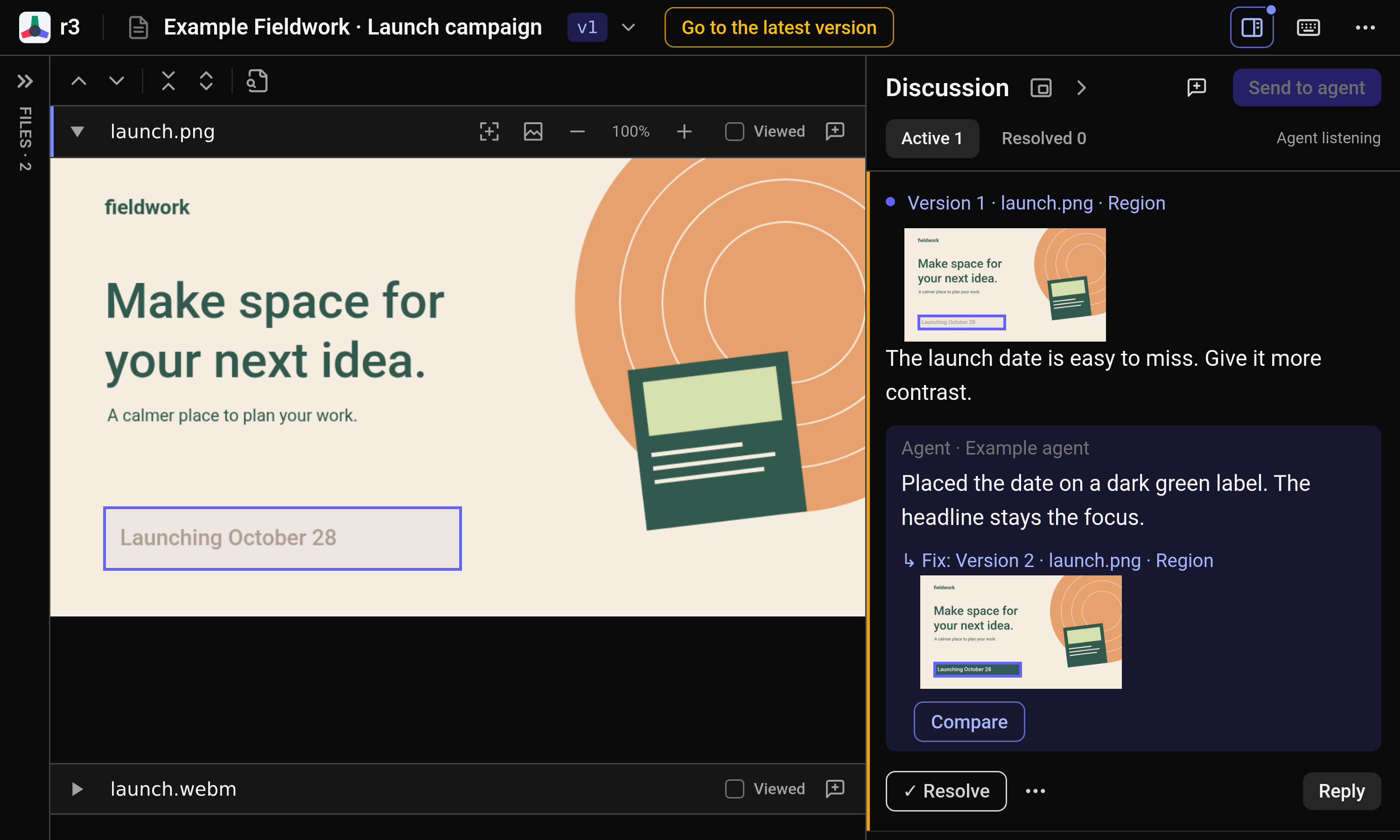
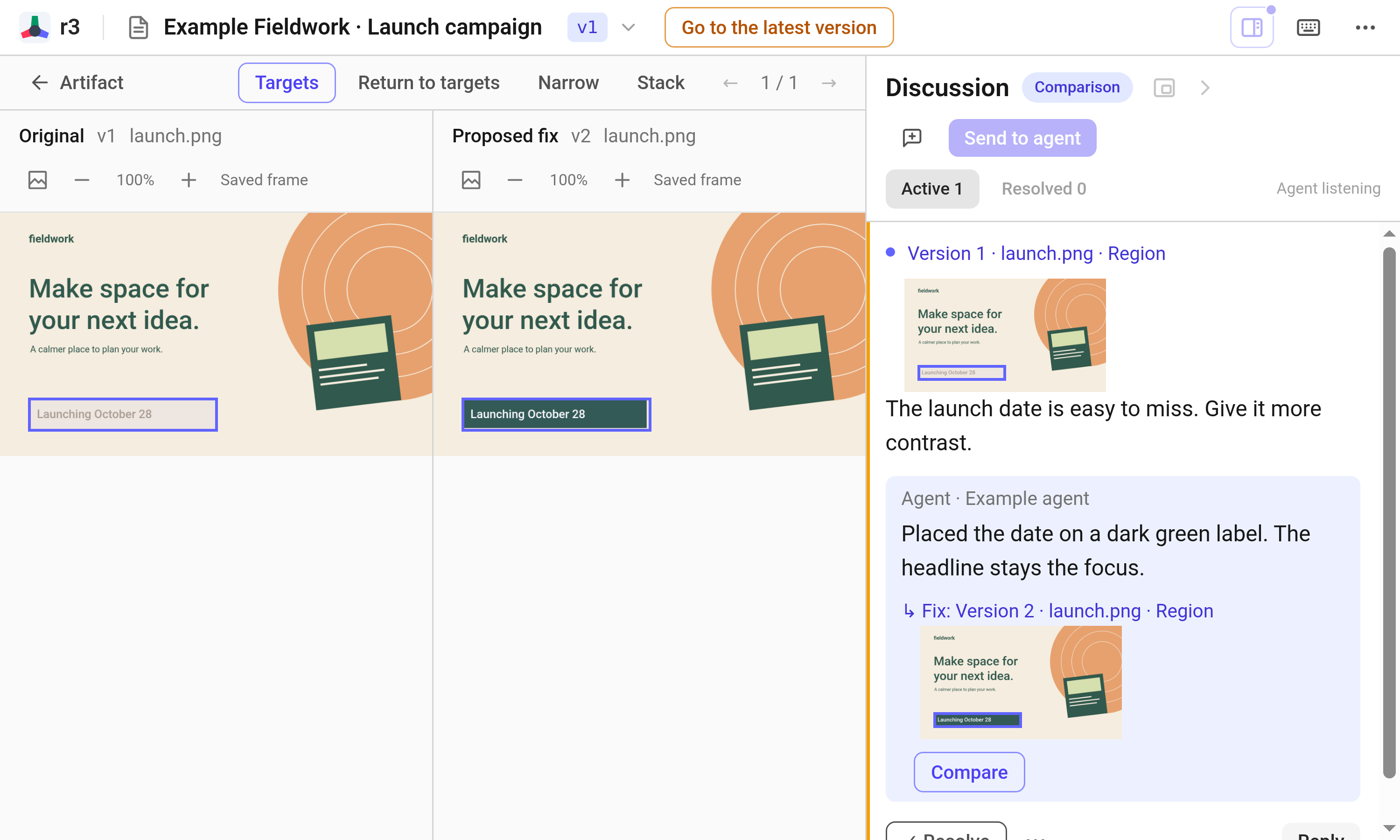
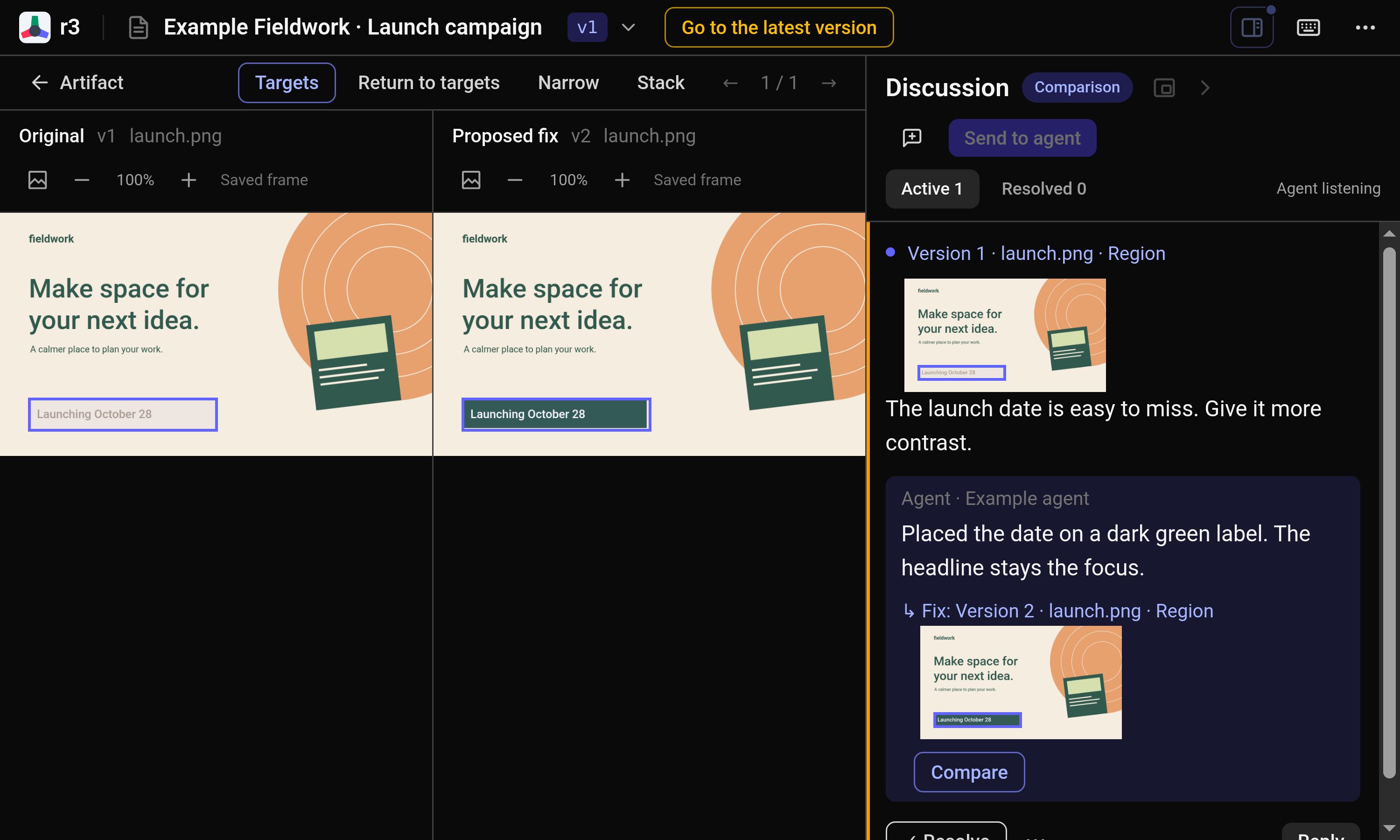
Select the launch date on the image and ask for more contrast. The region stays attached to the comment, so the agent can see exactly which detail you mean alongside the rest of the artwork.
Video feedback
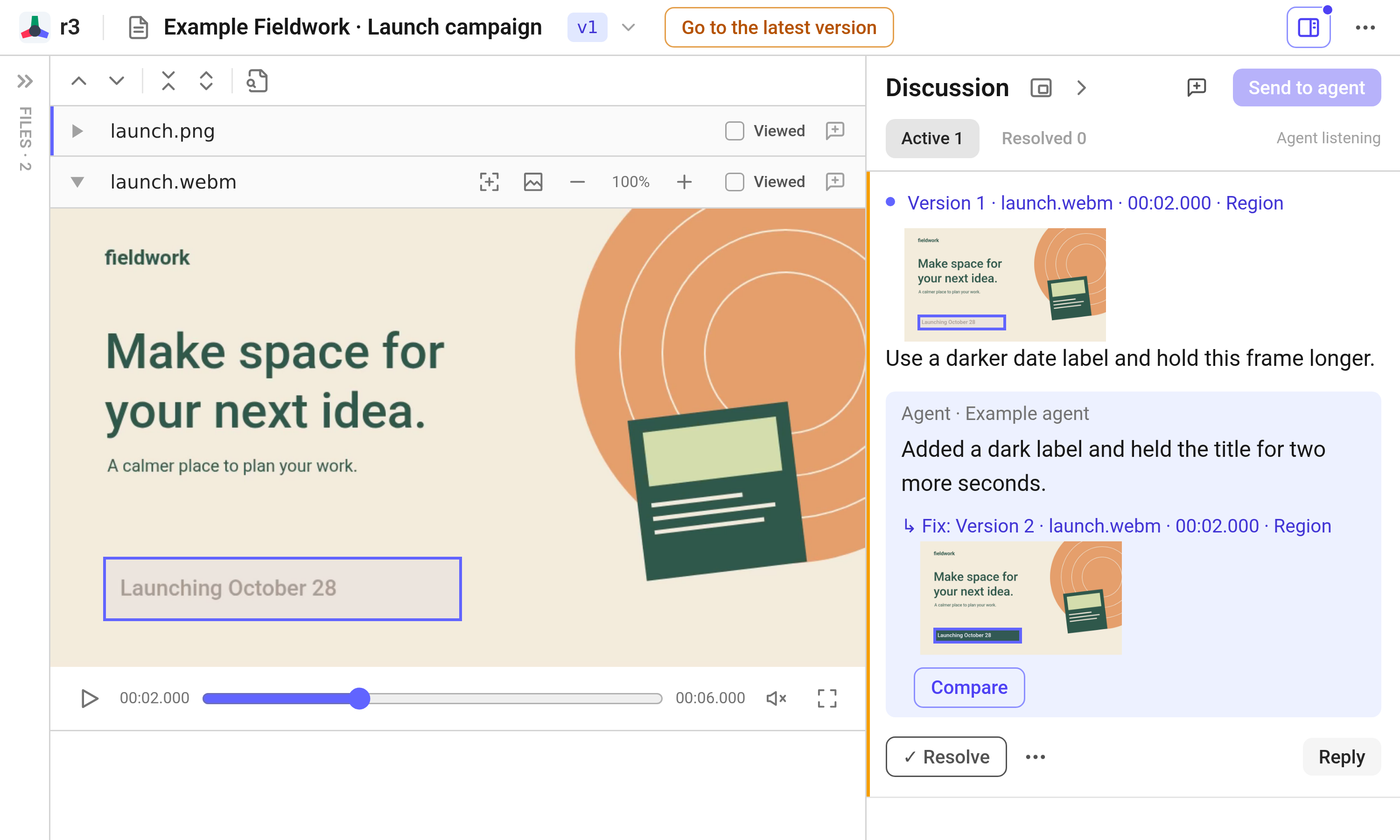
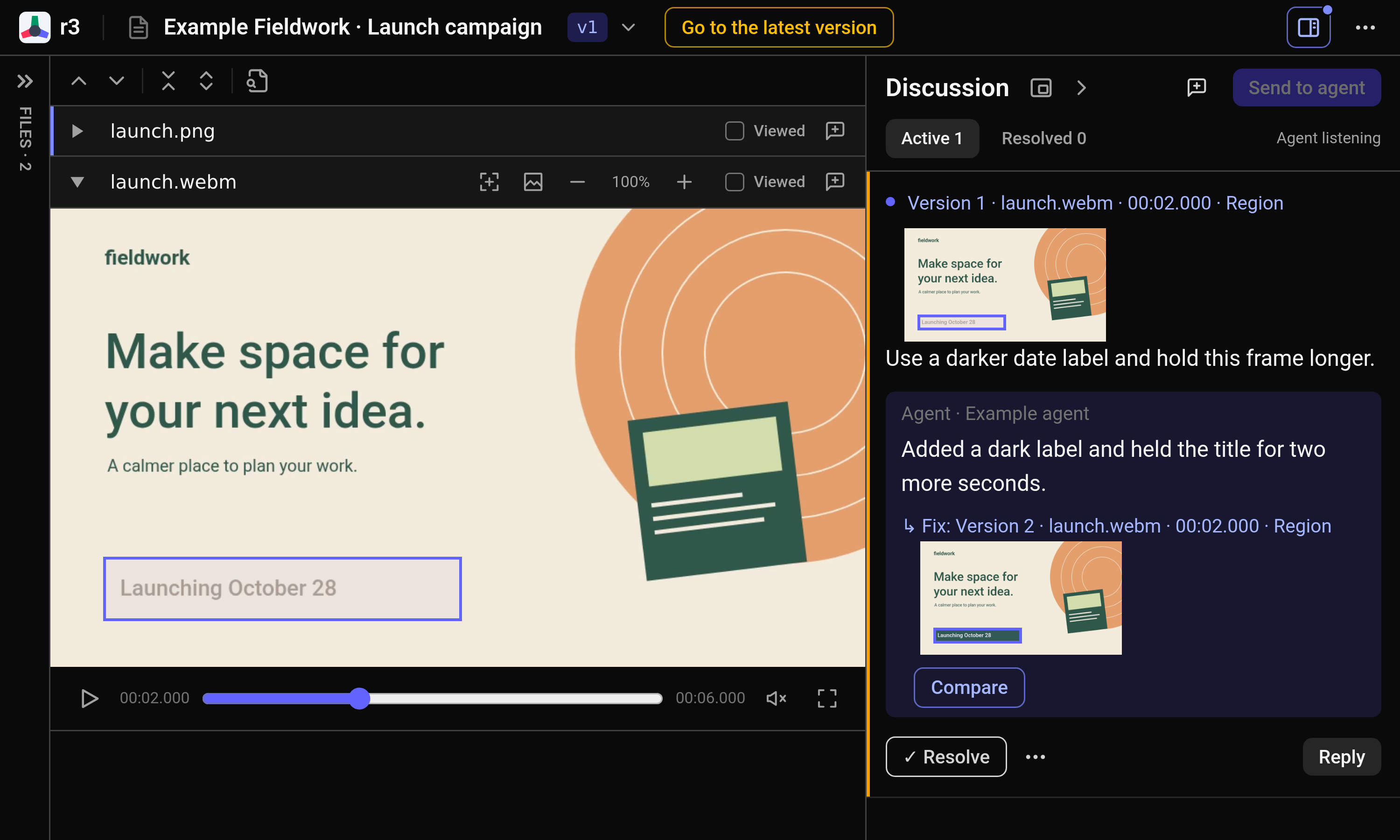
Pause at the moment you want to discuss and select the date label. The comment saves the timestamp, frame, and region. Ask for a darker label and a longer hold without having to describe the shot from memory.
Visual comparison
Open Compare from the agent’s reply to inspect the original and revised image together. The date now sits on a darker background. For the video, play the revised clip too—one still frame cannot tell you whether the timing feels right.
Real r3 screens. Fictional data and scripted replies.