
Artifact formats
Interactive pages
Use prototypes, explanations, and tools right inside a review.
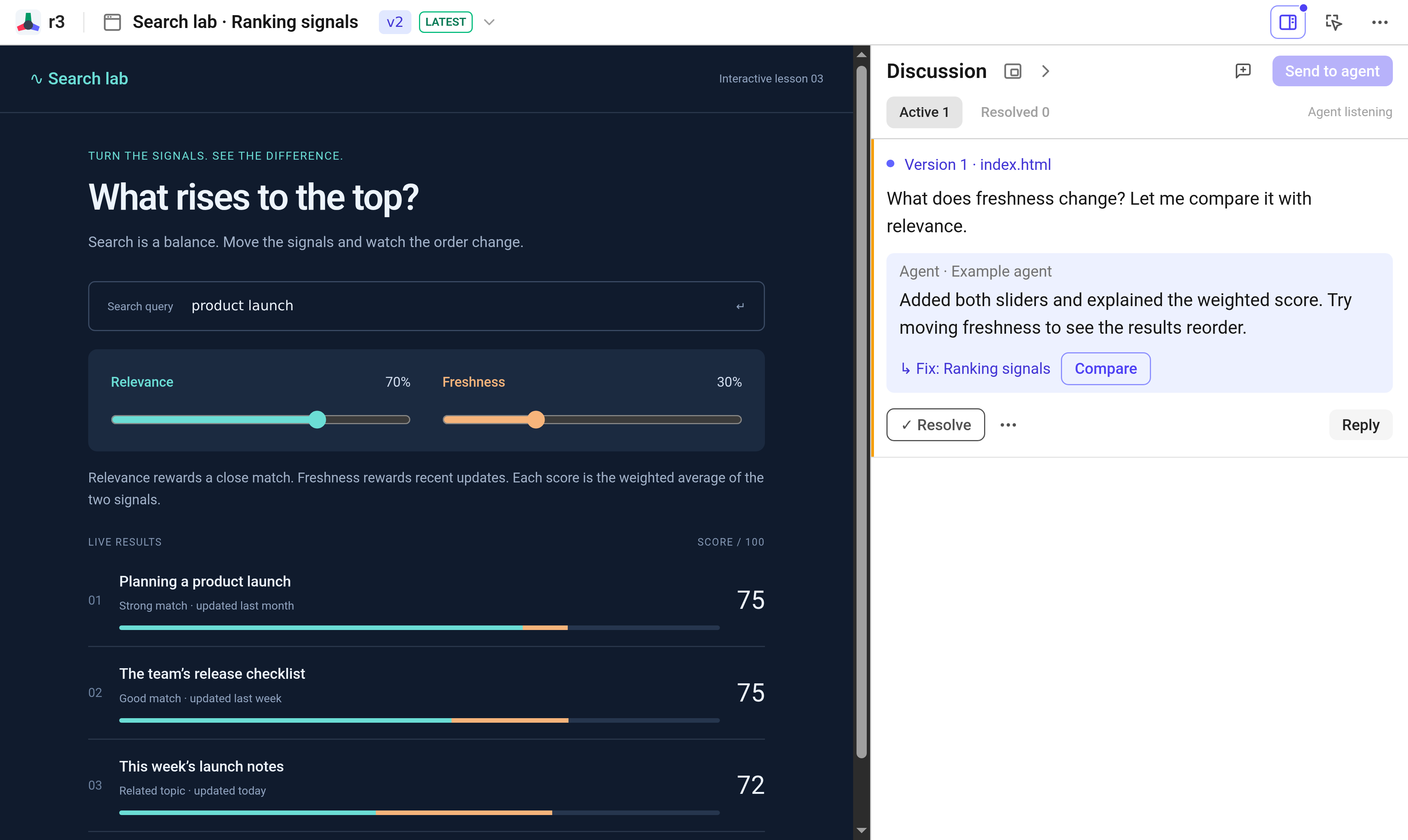
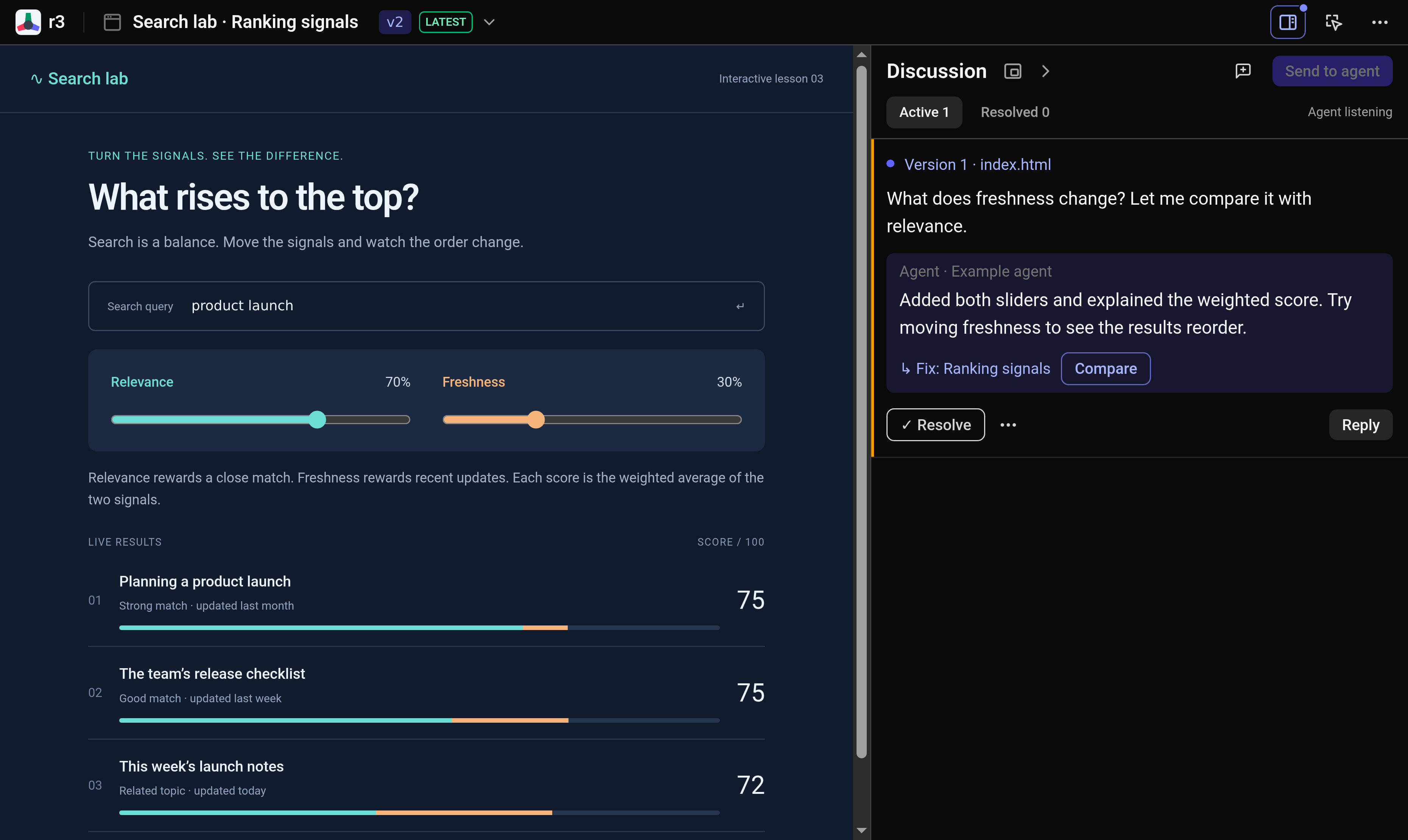
Test the live idea
Interact with forms, sliders, modals, and links directly in the preview. When something feels unclear or broken, switch to comment mode and click the control or text that needs attention.
You can navigate freely using the page’s own links. If you need to inspect raw markup alongside the rendered interface, ask your agent for a files artifact.
Verify the revision
When your agent publishes an update, follow the Fix link directly to the revised element. Open Compare to inspect the original and updated views side by side, and test the behavior yourself before resolving the thread.
If fonts or images fail to load, have your agent bundle them directly into the publication. Outbound network requests are blocked by default; see permissions if external network access is required.