
Review tools
Revisions & resolution
Follow replies, inspect linked fixes, and decide when a thread is done.
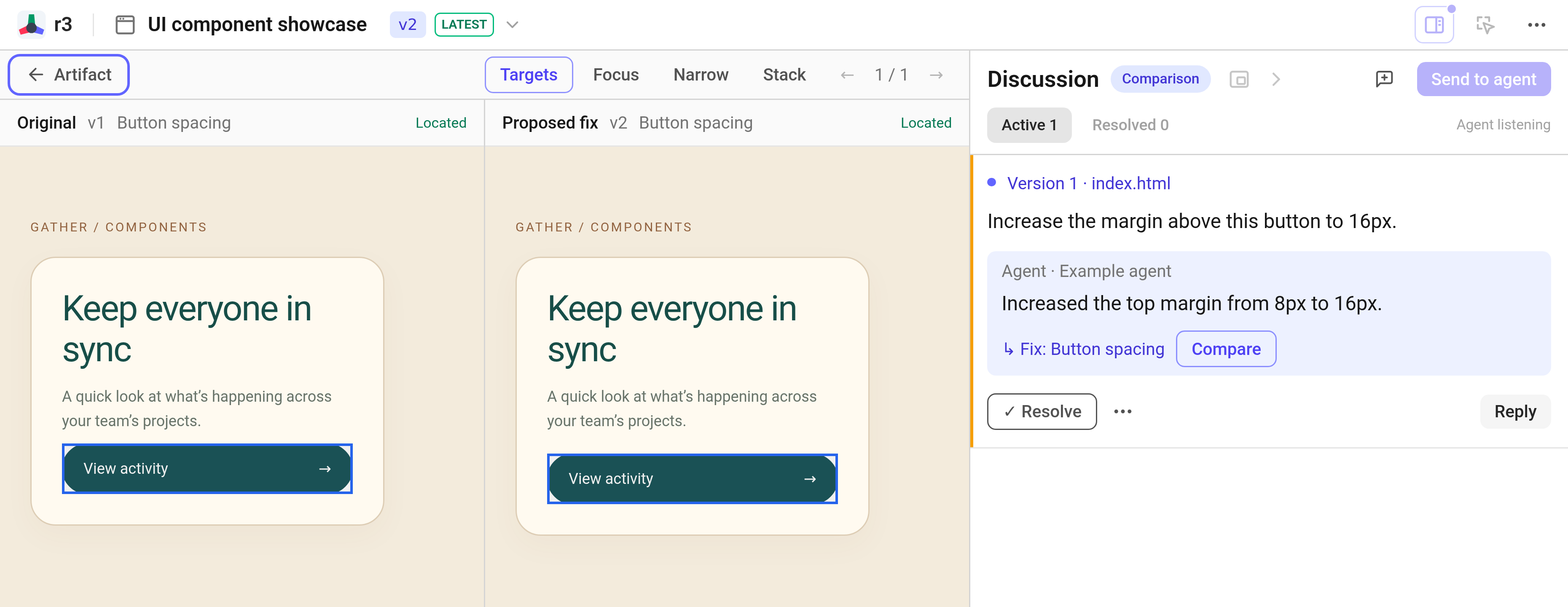
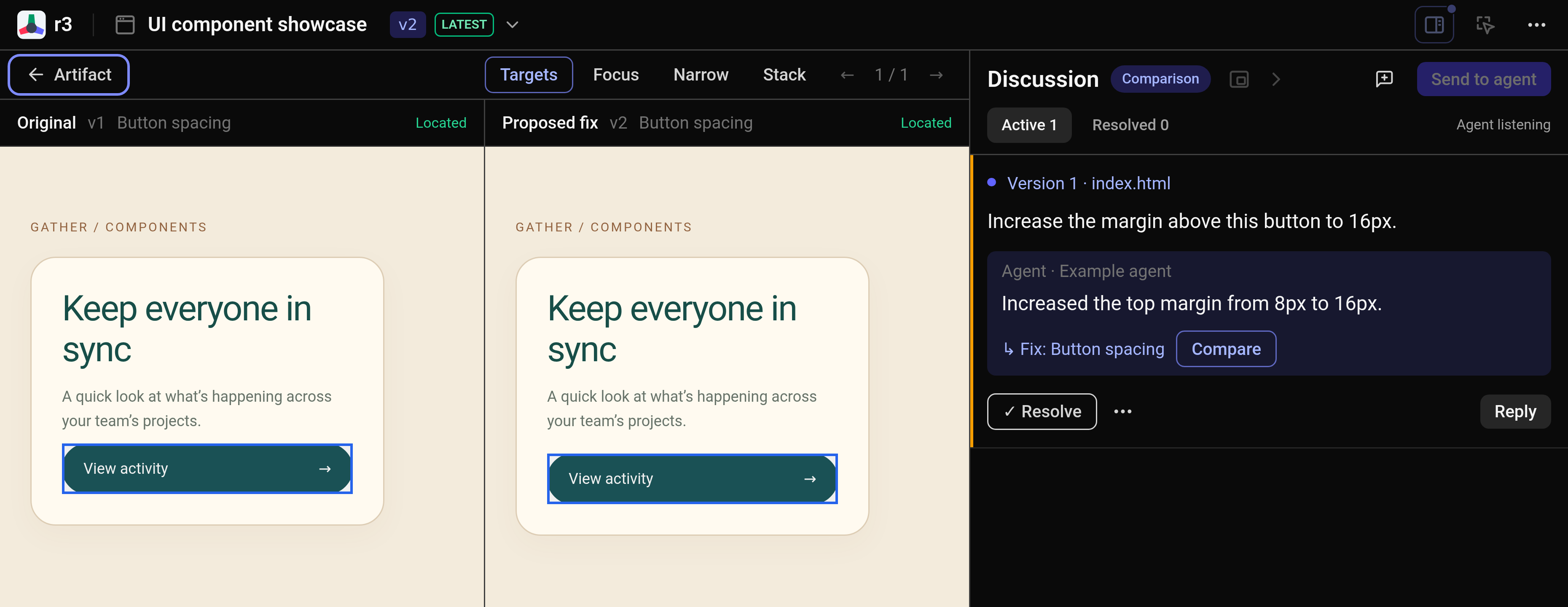
Open the fix
When your agent publishes an update, your current view remains undisturbed. Click Go to the latest version when you are ready, or step through versions anytime using the navbar picker.
Locate returns to the original element or line you flagged. The agent’s Fix link takes you directly to the revised element, while Compare places the original and updated views side by side.
Test the updated interaction to verify the behavior. Even if an element was removed or renamed in the revision, its conversation thread remains preserved.
Decide what is done
Click Resolve once you have verified the fix. If it still needs work, reply in the same thread. You can reopen any resolved thread whenever needed.
The Active and Resolved queues keep your workspace clear. An agent reply never closes a thread—only you decide when work is done.